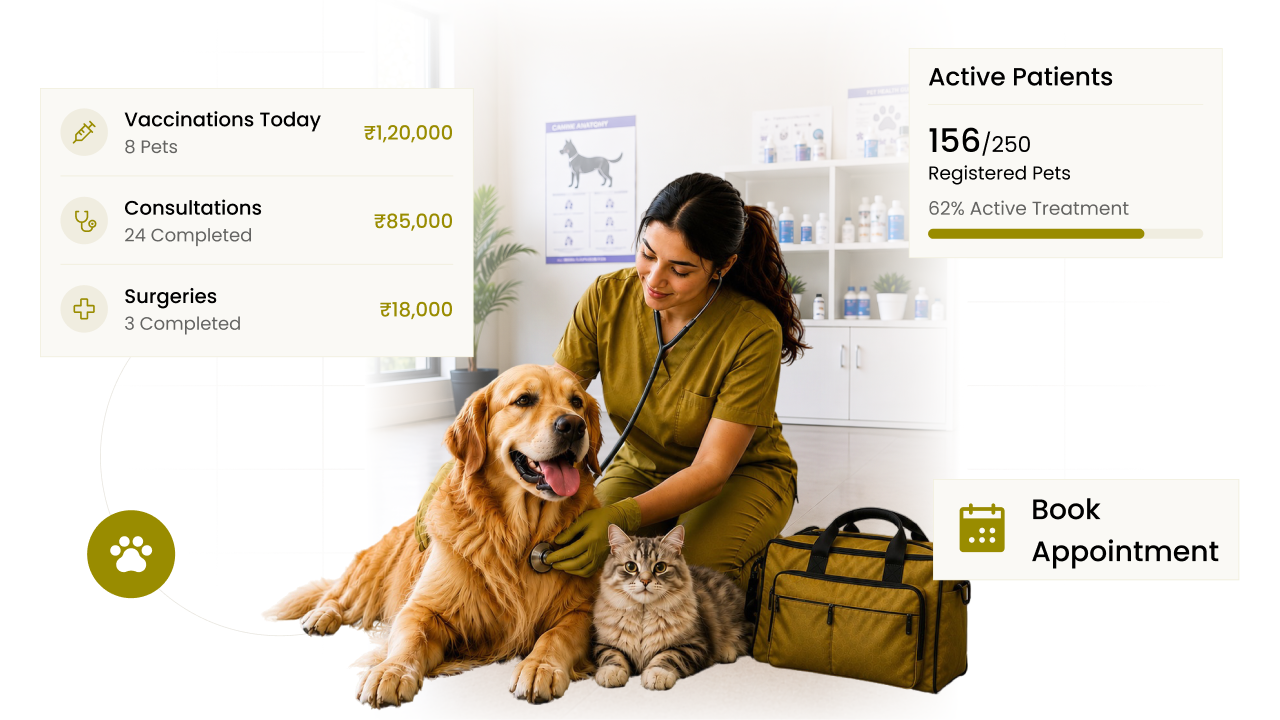
Online enquiry forms, also called web to lead forms

Give each form its own questions, then put it on your website or share its link. Every enquiry comes in as a lead with its status, source and staff member already set, ready for the first call.

Online enquiry forms in CIPHER CRM
  • 192+

    Businesses trust us to grow

    192+ CIPHER teams
  • 31

    Industries served

    CIPHER CRM
  • 4.8/5.0

    Average rating

    192+ CIPHER teams

Online enquiry forms in CIPHER CRM, often called web to lead forms, are public forms you build yourself, as many as you need.

Each form has its own questions, a starting status, source and staff member, your own thank-you message and a link to share.

Put one on your website or send the link anywhere, and every enquiry arrives as a lead that is already sorted and given to the right person. 192+ businesses run CIPHER CRM across 🏭 31 industries, with 92 built-in features, a ⭐️ 4.8/5 average rating and ⏱️ 99.9% uptime.

Most teams are live in 1-3 days.

Definition

What is a web to lead form?

A web to lead form is an enquiry form on your website, or behind a shared link, that sends what a visitor types straight into your CRM as a new lead. There is no inbox to copy from and nothing to retype. The visitor fills in the form, and the details arrive as a lead your team can pick up.

CIPHER CRM lets you build as many public lead-capture forms as you want. Each form has its own set of fields, so a form for a product enquiry can ask different questions from a form for a callback request. Every form carries a default status, source and assignee, which means each submission lands as a lead that is already sorted and already has someone responsible for it. You write the message a visitor sees after they submit, and each form gets its own shareable URL. You can embed a form on your website, or send the link in an ad, a social post or your email signature. Because the source is set per form, the Source filter on your lead list shows which form brought each lead in. Every workspace gets unlimited forms, with no per-form charge.

Online enquiry forms in CIPHER CRM
The problem

What happens without online enquiry forms

Your website contact form sends an email to one inbox, and someone has to copy each enquiry into the CRM by hand.

Enquiries from the site sit unread over a weekend because nobody knew they were theirs to answer.

Every enquiry looks the same, so you cannot tell which page or campaign brought it in.

One general form asks every visitor the same long list of questions, even when a callback only needs a name and a number.

Visitors press submit and see a plain sent message that tells them nothing about what happens next.

What slips without Online enquiry forms
Capabilities

What you can do with online enquiry forms

  • As many forms as you need

    Build unlimited forms, one for each service, page or campaign, with no charge per form.

  • Fields that fit each form

    Give every form its own field set, so each one asks only what that kind of enquiry needs.

  • Leads that arrive sorted

    Set a default status and source on the form, and every submission lands in the right stage with its origin recorded.

    sales pipeline software
  • An owner for every enquiry

    Pick a default assignee, so each new lead from the form already belongs to someone on your team.

    multiple assignees crm
  • Your own thank-you message

    Write the message visitors see after they submit, such as when they can expect to hear from you.

  • Embed it or share the link

    Place the form on your website, or send its URL anywhere you talk to buyers.

Why CIPHER

Why online enquiry forms are better in CIPHER

A lot of website forms end in an inbox, and someone still copies each enquiry across. We skip that step, so the form fills your lead list directly.

  • No copy and paste

    Submissions become leads directly, so there is no inbox in the middle and nobody retyping names and numbers.

  • Sorted before anyone looks

    Status, source and assignee come from the form, so a new lead does not wait in a pile for someone to sort it.

  • One form per purpose

    With unlimited forms, each with its own fields and link, you never squeeze every kind of enquiry into one long form.

  • Included in every plan

    Web-to-lead forms come with every workspace. There is no per-form fee and no separate forms tool to pay for.

How it works

How online enquiry forms work in CIPHER CRM

  1. Create a form

    Start a new web-to-lead form and choose the fields it should ask for.

  2. Set the defaults

    Pick the status, source and assignee every submission should get.

  3. Write the thank-you message

    Add the message a visitor sees once they press submit.

  4. Publish it

    Embed the form on your website or copy its shareable link.

  5. Work the new leads

    Submissions show up in your lead list, filed and assigned, ready for the first call.

Compare

Online enquiry forms: CIPHER CRM vs spreadsheet vs generic CRM

What mattersCIPHER CRMSpreadsheet / manualGeneric CRM
Where enquiries go Straight into your lead list An inbox someone has to check Varies, some need a separate forms tool
Number of forms Unlimited Whatever your form tool allows Often limited by plan
Fields on each form Each form has its own field set Built and kept up in another tool Usually adjustable
Owner of a new enquiry Default assignee set on the form Whoever reads the inbox first Often set by separate rules
Knowing where it came from Default source set on each form Guessed from the email subject Often needs extra tracking setup
Sharing without a website Every form has its own shareable URL Needs a page to host it Varies
Online enquiry forms

See online enquiry forms in action

Put a form on your website or share its link, and each enquiry comes in as a lead for the right staff member. Every enquiry already has an owner, so the right person can call back without waiting for someone to hand it over.

Why it's worth it

What online enquiry forms change for your business

See how CIPHER CRM solves this

Faster first replies

Every enquiry already has an owner, so the right person can call back without waiting for someone to hand it over.

No lost website enquiries

Submissions go straight into CIPHER CRM instead of sitting in an inbox that nobody checked.

Clear view of what brings leads

Per-form sources let you filter leads by the form, page or campaign they came from.

Better questions for each buyer

Separate forms for separate needs mean visitors answer only what matters for their enquiry.

Ready when you are

See online enquiry forms on your own data

Proof

Teams that switched to CIPHER

Our quotes used to take days and follow-ups just fell through the cracks. Now every lead has someone on it and a clear next step. We are closing a lot more than we did.
Rahul Mehta
Rahul Mehta Director, Logistics firm - Ahmedabad
I thought moving would take months. We were up and running in two days. I get back about two hours a day that used to go into updating sheets.
Priya Nair
Priya Nair Operations Head, Healthcare clinic chain - Kochi
Because it was set up for property from the start, we were not fighting the software. My managers finally trust the numbers on the screen.
Amit Shah
Amit Shah Founder, Real-estate agency - Surat

Online enquiry forms frequently asked questions

FAQ

Online enquiry forms - your questions answered

99% uptime guaranteeISO 27001 certified company24/7 response supportGDPR approvedSSL encrypted 2024
What is a web to lead form?

A web to lead form is an enquiry form on your website, or behind a shared link, that creates a lead in your CRM when someone submits it. In CIPHER CRM each submission arrives with a status, source and assignee already set, so it is ready for your team to follow up.

How many web-to-lead forms can I create in CIPHER CRM?

As many as you like. Forms are unlimited in every plan, so you can make one for each service, landing page or campaign. Each one keeps its own fields, defaults, thank-you message and link, and none of them costs extra.

Can each form ask different questions?

Yes. Every form has its own field set. A quick callback form can ask for a name and a phone number, while a quote request form asks for more detail about the job. Visitors only see the questions that belong to the form they are filling in.

Who gets the leads that come in through a form?

Each form has a default assignee, and every lead it creates is assigned to that person. You can point different forms at different people, so enquiries for one service go to one teammate and enquiries for another service go to someone else.

Do I need a website to use a web-to-lead form?

No. Every form has its own shareable URL, so you can send the link in an ad, a social post, a message or your email signature. If you do have a website, you can also embed the form on any page you choose.

Can I change the message people see after they submit?

Yes. Each form has its own custom success message. Use it to thank the visitor and tell them what happens next, such as when your team will be in touch, so they are not left wondering whether the form went through.

How do I know which form a lead came from?

Set a different default source on each form. Every lead a form creates carries that source, and you can filter your lead list by source to see only the enquiries that came in through a particular form, page or campaign.

Glossary

Online enquiry forms terms, defined

  • Web-to-lead form

    A public enquiry form whose submissions go straight into your CRM as new leads.

  • Embed

    Placing a form inside a page of your own website so visitors fill it in without leaving your site.

  • Default assignee

    The teammate every new lead from a form is assigned to automatically.

  • Success message

    The thank-you text a visitor sees right after they submit a form.

We're here to help

Book a free demo and see it for yourself

Leave a few details and we call you within a day to walk you through CIPHER CRM set up for your trade. There is no commitment and nothing to sign.

On the call we map out your sales stages, answer whatever you want to ask, and show you exactly how your team would work day to day.

Email support

We're just one email away.

hello@ciphercrm.co

Call us

Call us Mon-Fri, 8am-5pm.

(+91) 97122 00017

Visit our website

Explore products & pricing

ciphercrm.co

Prefer to talk first?

Reach us via support page.

Visit our contact page

Book a free demo

We call within a day. Nothing to commit to.

1000 characters remaining

Send on WhatsApp and get your demo Prefer to talk? Visit our contact page

By sending this, you are okay with CIPHER CRM getting in touch. We never share your details.

  • No obligation
  • Quick response
  • Your data is safe
Book Demo