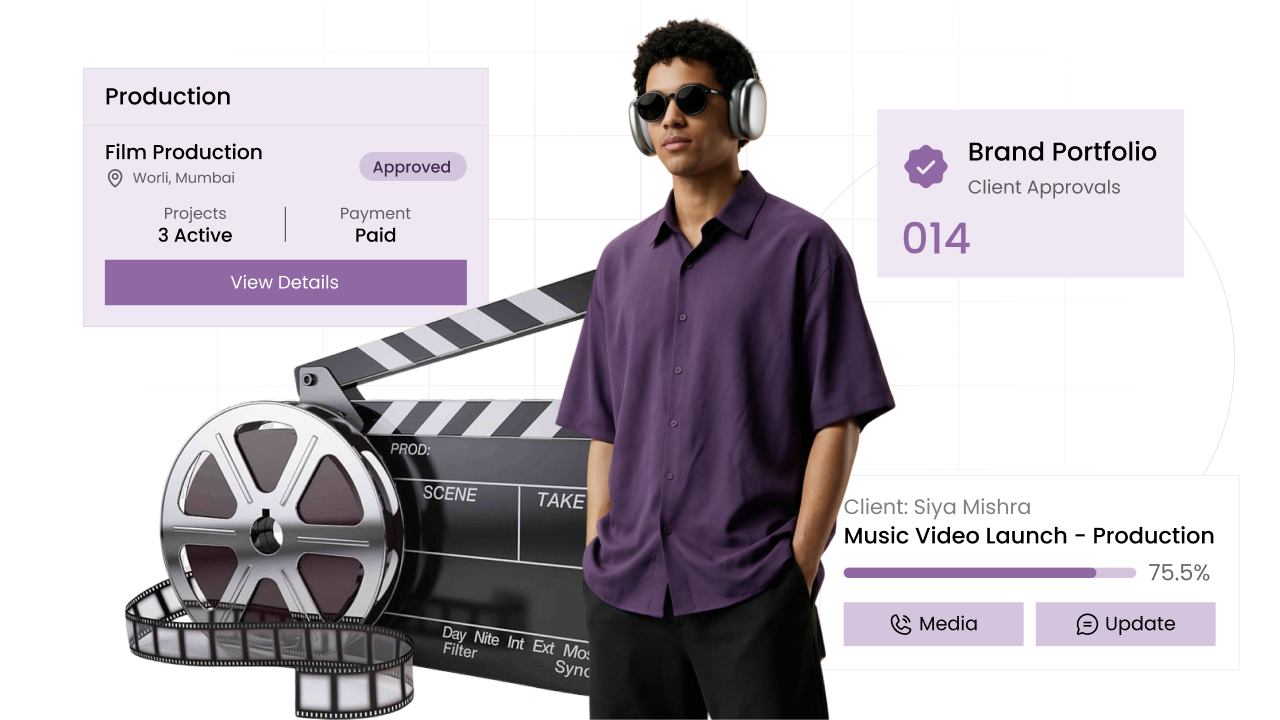
Project management CRM that keeps bills with the right job

Every project is one client job, with its tasks, files, quotes and bills kept inside it. When a client asks which bill is for which job, you open the project and show them.

Client projects in CIPHER CRM
  • 192+

    Businesses trust us to grow

    192+ CIPHER teams
  • 31

    Industries served

    CIPHER CRM
  • 4.8/5.0

    Average rating

    192+ CIPHER teams

Client 📋 projects in CIPHER CRM give you 📋 project management that starts with the customer.

Every job gets its own 📋 project, linked to one customer, with start and end dates, a team, tags and a status you choose.

Tasks come first, next to the files, quotes, bills and credit notes for that job.

On a list or a board with a column for each status, you see the work left and what has been billed. 192+ businesses run CIPHER CRM across 🏭 31 industries, with 92 built-in features, a ⭐️ 4.8/5 average rating and ⏱️ 99.9% uptime.

Most teams are live in 1-3 days.

Definition

What is a project management CRM?

A project management CRM is a CRM where each piece of work for a customer lives as a project inside the same system as the customer, their tasks and their bills. You do not keep jobs in one tool and invoices in another. In CIPHER CRM a project must be linked to a customer, so nothing floats around without an owner.

CIPHER CRM treats a project as a job you are doing for a customer. Each project record has a required customer link, start and end dates, a team of one or more people, tags, a description, a status and a public or private switch. Inside the project, the Tasks tab comes first, followed by Attachments, Documents, Proposals, Estimates, Invoices, Credit Notes and an Activity log. That means a customer with three jobs running can see which invoice belongs to which job. You can work in a list or on a Kanban board grouped by status, where each card shows the customer, the date span and the tags. Filters cover Assigned to me, Created by me, Public, Pinned, team member, status, customer, tag and a date range that matches the start or end date. Each project also has an internal chat, private notes and a separate thread for the client's own contacts. CIPHER CRM is used by 192+ businesses across 31 industries.

Client projects in CIPHER CRM
The problem

What happens without client projects

Jobs live in one place and the invoices for them live somewhere else, so nobody can say quickly what has been billed on a project.

A customer with several jobs on the go asks which bill is for which job, and you have to dig through old emails to answer.

The project plan is a spreadsheet only one person updates, so the team works from a version that is already out of date.

Files, drawings and signed quotes for a job are scattered across chat groups and inboxes instead of sitting with the job.

You cannot see at a glance which projects are running, which are stuck and which have slipped past their end date.

What slips without Client projects
Capabilities

What you can do with client projects

  • Every project tied to its customer

    A project cannot be saved without a customer, so each job always has an owner and shows up on that customer's record too.

    customer management software
  • See the whole board by status

    Switch between a list and a Kanban board grouped by status. Each card shows the customer, the start and end dates and the tags, so you can scan the board without opening anything.

    kanban board crm
  • Tasks at the centre of the job

    The Tasks tab sits first on every project, so the work that has to happen next is the first thing your team sees when they open it.

    task management crm
  • Know which bill belongs to which job

    Proposals, estimates, invoices and credit notes each have their own tab on the project, so the money side of a job stays with the job.

    invoicing software
  • Talk about the job where the job is

    Each project has an internal chat for your team, private notes for yourself, and a separate thread the client's own contacts can see and use.

    customer support chat
  • Start a project from the calendar

    Click a day on the calendar to create a project that is already dated from that day, instead of typing the date in by hand.

    crm calendar
Why CIPHER

Why client projects are better in CIPHER

Most tools make you choose between a place to run jobs and a place to keep customers and bills. We put the project inside the CRM, next to everything it touches.

  • Projects and billing in one place

    Estimates, invoices and credit notes show up right on the project, so you never need a second tool to answer "has this job been billed".

  • Your own stages, your own words

    Project statuses are set in settings, so the board follows the stages your business already uses instead of someone else's.

  • Client talk kept apart from team talk

    The client thread on a project is separate from your internal chat, so your team can speak freely while the customer still gets answers.

  • Included in every plan

    Project management is part of CIPHER CRM for every workspace, with every feature in every plan and nothing extra to switch on.

How it works

How client projects work in CIPHER CRM

  1. Create the project

    Pick the customer, set the start and end dates, add your team and tags, and choose a status. You can also start from a day on the calendar.

  2. Add the tasks

    Open the Tasks tab and add the work that needs doing. Every task created here is already linked to the project.

  3. Attach files and documents

    Drop drawings, photos and paperwork into Attachments and Documents so the whole team finds them on the project.

  4. Bill against the job

    As proposals, estimates and invoices go out for the job, find them listed on the project's own tabs.

  5. Move it along the board

    Change the status as the work progresses, and use the filters to see every project for one customer or one team member.

Compare

Client projects: CIPHER CRM vs spreadsheet vs generic CRM

What mattersCIPHER CRMSpreadsheet / manualGeneric CRM
Link between job and customer Every project must be linked to a customer A customer name typed into a cell, easy to misspell Often a separate tool with its own client list
Bills for each job Estimates, invoices and credit notes on the project Kept in a different file or folder Usually lives in a separate billing tool
Seeing progress List or Kanban board grouped by your own statuses A colour-coded sheet one person maintains A board, but with fixed stages
Talking to the client A client thread kept apart from team chat Email chains and chat groups Often comments visible to everyone or no client view
Starting a new job Create it from the calendar already dated Copy last month's row and edit it A blank form every time
Client projects

See client projects in action

Keep each client job as a project, with its team, dates, tasks, files and bills in one place. Open the project and the invoices and credit notes for that job are right there on their own tabs.

Why it's worth it

What client projects change for your business

See how CIPHER CRM solves this

Answer billing questions in seconds

Open the project and the invoices and credit notes for that job are right there on their own tabs.

One place for every file on a job

Drawings, photos and paperwork sit on the project, so no one asks for "the latest version" in a chat group again.

A board the team can read at a glance

Status columns, customer names and date spans on each card show where every job stands without a meeting.

Clients kept in the loop the right way

The client thread lets customers ask about their job while your internal discussion stays internal.

Ready when you are

See client projects on your own data

Proof

Teams that switched to CIPHER

Our quotes used to take days and follow-ups just fell through the cracks. Now every lead has someone on it and a clear next step. We are closing a lot more than we did.
Rahul Mehta
Rahul Mehta Director, Logistics firm - Ahmedabad
I thought moving would take months. We were up and running in two days. I get back about two hours a day that used to go into updating sheets.
Priya Nair
Priya Nair Operations Head, Healthcare clinic chain - Kochi
Because it was set up for property from the start, we were not fighting the software. My managers finally trust the numbers on the screen.
Amit Shah
Amit Shah Founder, Real-estate agency - Surat

Client projects frequently asked questions

FAQ

Client projects - your questions answered

99% uptime guaranteeISO 27001 certified company24/7 response supportGDPR approvedSSL encrypted 2024
Can I manage projects inside CIPHER CRM?

Yes. Every project in CIPHER CRM is a record linked to a customer, with dates, a team, tags, a status and a description. Tasks, attachments, documents, proposals, estimates, invoices and credit notes each have their own tab on the project, so the job and its paperwork stay together.

Does every project have to belong to a customer?

Yes. A customer link is required when you create a project. That way every job shows up on the customer's record, and when one customer has several projects you can tell which invoice or estimate belongs to which job. 192+ businesses run CIPHER CRM across 31 industries, with a 4.8/5 average rating.

Can I see my projects on a Kanban board?

Yes. Projects can be shown as a list or as a Kanban board grouped by status, one click apart. Each card shows the customer, the start and end dates and the tags, and you set the project statuses yourself in settings.

How do I find the projects running next month?

Use the date range filter. On projects it matches either the start date or the end date, so a job that begins or wraps up in that window shows up. You can combine it with filters for customer, status, team member or tag.

Can my client see the project?

Each project has a thread that the client's own portal contacts can see and use, kept apart from your team's internal chat. Customers can also view their projects in the customer portal, grouped by status. 192+ businesses run CIPHER CRM across 31 industries, with a 4.8/5 average rating.

Can I keep a project private?

Yes. Every project has a public or private switch. Combined with role permissions, that lets you keep sensitive or internal jobs visible only to the people who should see them, while the rest of the team works on public projects as normal.

Is project management a paid add-on?

No. Project management is included in CIPHER CRM for every workspace. We put every feature in every plan, and most teams are live in 1 to 3 days with free data migration from the sheets they already use. 192+ businesses run CIPHER CRM across 31 industries, with a 4.8/5 average rating.

Glossary

Client projects terms, defined

  • Project

    A job you are doing for one customer, with its own dates, team, tasks, files and bills in CIPHER CRM.

  • Project status

    The stage a project is at, such as planning or in progress, set up in your own words in settings.

  • Date span

    The start and end dates of a project, shown on its card so you can see how long the job runs.

  • Client thread

    The conversation on a project that the customer's own contacts can see, separate from your team chat.

We're here to help

Book a free demo and see it for yourself

Leave a few details and we call you within a day to walk you through CIPHER CRM set up for your trade. There is no commitment and nothing to sign.

On the call we map out your sales stages, answer whatever you want to ask, and show you exactly how your team would work day to day.

Email support

We're just one email away.

hello@ciphercrm.co

Call us

Call us Mon-Fri, 8am-5pm.

(+91) 97122 00017

Visit our website

Explore products & pricing

ciphercrm.co

Prefer to talk first?

Reach us via support page.

Visit our contact page

Book a free demo

We call within a day. Nothing to commit to.

1000 characters remaining

Send on WhatsApp and get your demo Prefer to talk? Visit our contact page

By sending this, you are okay with CIPHER CRM getting in touch. We never share your details.

  • No obligation
  • Quick response
  • Your data is safe
Book Demo